Monday, January 30, 2012

FiOS Issue Update

1. I have increased my FiOS speed up-to 25/25. Issue is still there...
2. The FaceBook VZagent responded to my update I publish on Facebook, but that was a different person and I had to explain the issue again. He tried something, gave my couple simple advises like to test using only one computer attached to router.... No real help... Thanks for trying....

2. I have called again to Verizon support; they transfered me 3 times and finally dropped the call. Never call back.

3. I called  again and reached the person who spent some time with me. After repeating all my explanation to him again I showed him one single issue - I CANNOT SEND 2 MB FILE AS ATTACHMENT VIA  E-MAIL. He asked me to repeat that using Verizon.net web based e-mail system and I did. See error message below:
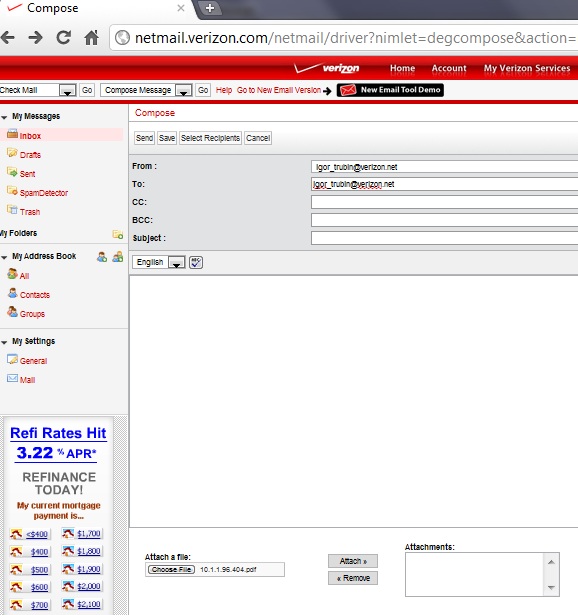

This webpage is not available

The connection to netmail.verizon.com was interrupted.

Here are some suggestions:

  • Reload this webpage later.
  • Check your Internet connection. Restart any router, modem, or other network devices you may be using.
  • Add Google Chrome as a permitted program in your firewall's or antivirus software's settings. If it is already a permitted program, try deleting it from the list of permitted programs and adding it again.
  • If you use a proxy server, check your proxy settings or contact your network administrator to make sure the proxy server is working. If you don't believe you should be using a proxy server, adjust your proxy settings: Go to the wrench menu >Options > Under the Hood > Change proxy settings... > LAN Settings and deselect the "Use a proxy server for your LAN" checkbox.
Error 101 (net::ERR_CONNECTION_RESET): The connection was reset.

5. Then he asked me to repeat the test using other browsers, other smaller files (1 Mb), then he repeated that himself several times taking over my laptop remotely. Still the same error. He asked someone to help and finally looked satisfied with evidences of not trivial problem and told me that in 24-48 hours I will be called with some solution.

BTW I asked to send me somebody locally to test FiOS network from my house - he ignored.
I asked his name - he ignored.

At least I got the ticket #VADQ0948KK

I will have to wait up-to 48 hours and then will update the status here.

Forgot to tell that Agent during my call asked me to make the same test using not Chrome, but IE. I did and he saw it failed too.

See the history of the issue in my previous postings.

Sunday, January 29, 2012

This is the update of my previous Verizon FiOS problem report published here:

Facebook Verizon account responded on my FiOS problem!

I have provided to Verizon support a few tracert and ping reports showing some time-outs, but looks like it  does not indicate any real problem. Also they recommended me to do the re-set of my router to the manufacturer default and I did it. Nothing changed.

They also did some re-set from their side: "we break the lease that your router is holding and reboot your network terminal to get you a new address on our network" - did not help.

I and my son ran the same test using our laptops from two other houses in our area and results showed the excelent and fast big files uploading and sending via e-mail. See detailed report in my prof. blog : 

(BTW I ran ping report also and saw the same sporadic time-outs, so it's not a problem.)

Now I am sure there is no problem with my laptop and the FiOS in our neighborhood is OK
The problem is around my house. I am sending this report to Verizon support. Also I plan to call them tomorrow. We will see how they help me. 

Thursday, January 26, 2012

Facebook Verizon account responded on my FiOS problem!


Facebook Verizon account responded and ask me to fill out some for at http://www22.verizon.com/
Here is what I put there:

I am experiencing the following problem with my FiOS: cannot upload files >2-3 MB. 
Specifically:


- I cannot send attached file via e-mail if file is bigger than 3 Mb using my  verizon.net e-mailbox. I have showed that to tech support person using "showme" feature. (mailer return general network error (sudden disconnection or inactivity and so on)


- I cannot upload any videos on Facebook, the uploader works fast for 1st mb than  freezes trying reduce transfer speed endlessly. I plan to record that and post on my blog...
- and have huge delay of uploading any videos on YouTube. Some files I can upload 
10Mg - several hours because Chrome  can recover network errors and lost connection. Old browser (e.g. Safari, just report general network error)


I have ticket opened with Verizon VADQ08Z(2?)33S, but they cannot figure out what's wrong. I have this problem about 2 (!) years.


So far they suggested replacing router. I did. 2nd time for the last 2 years. The problem is still there....


Any my call to Verizon I have to show speed-test which is OK as it uses small files, router resetting/rebooting/reconnecting, Optimization from some Verizon site. Traceroutes were not suggested to do so far. I can do that if that helps, just tell me.


Testing with that... also I locked my account and cannot reset that as the way Verizon website does that does not work send my on some circle...


Home-agent I installed crashes often - no help what so ever.... 


 Is that a time to switch to Comcast?


HELP!


When I submitted that I got message "cannot process..."

FiOS upload problem: my personal battle with Verizon

I am experiencing problem with my FiOS, cannot upload files >2-3 MB. For instance, I cannot upload any videos on Facebook and have huge delay of uploading any videos on YouTube. I cannot send attached file via e-mail if file is bigger than 3 Mb...

I have ticket opened with Verizon, but they cannot figure out what's wrong. I have this problem about 2 (!) years. Is that a time to switch to Comcast?

I will be updating the status of the issue here.

So far they suggested replacing router. I did. 2nd time for the last 2 years. The problem is still there....


Sunday, January 15, 2012

Blog Archive

Translate

About Me

My photo
Igor Trubin began his engineering career in 1979 as an IBM/370 systems engineer. He earned a Ph.D. in Robotics from St. Petersburg Technical University in 1986 and spent 12 years there as a professor teaching CAD/CAM and Robotics. He has published and presented more than 60 technical papers and conference presentations in robotics, artificial intelligence, IT performance, capacity management, anomaly detection, and FinOps. After moving to the U.S. in 1999, Igor worked at Capital One, IBM, and SunTrust Bank in senior engineering, architecture, and management roles. His 2002 CMG paper on exception detection received a Best Paper Award. He later developed Perfomalist.com, based on his original methods for anomaly, change-point, and trend detection, and created the online course “Performance Anomaly Detection.” At Capital One, he led development of cloud capacity-management and FinOps solutions, including the award-winning OptiCloud application. He has served on the CMG Board of Directors since 2015. Now semi-retired, Igor focuses on research, writing, and consulting. His current work expands his concept of the “Area of Normal Functioning” (ANF) from technical systems to human, orga